 Shanghai Lisheng Automation Technology

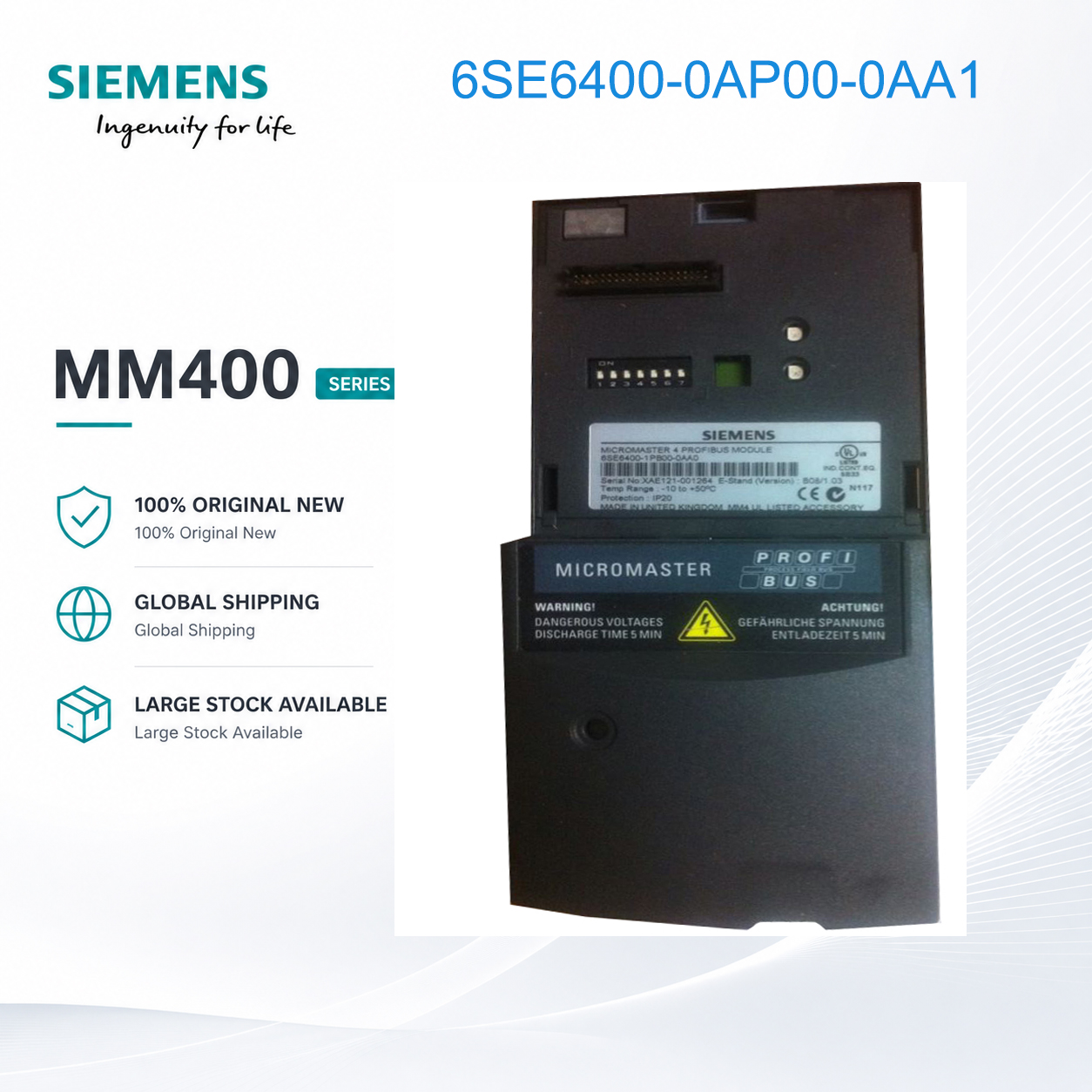
Siemens Advanced Operator Panel AOP for MICROMASTER 420/440 VFD 6SE6400-0AP00-0AA1
6SE6400-0AP00-0AA1
Product Type: Advanced Operator Panel (AOP)
Compatible Series: MM420 / MM440 / MM430
Function: Full parameter control, plain text menu
Communication: RS232
Status: Discontinued
- Band:siemens
- Condition: Brand new / Original
- Stock: In stock
- Delivery: 3 - 7 days
- Warranty: 12 months
Siemens Advanced Operator Panel AOP – Enhanced Control and Parameter Management

The Siemens 6SE6400-0AP00-0AA1 is an Advanced Operator Panel (AOP) designed for the MICROMASTER 420 and 440 series drives. This enhanced panel provides superior visibility, parameter storage capabilities, and advanced diagnostic functions beyond the basic BOP [citation:2].

Key Specifications:
- Product Type: Advanced Operator Panel (AOP)
- Compatible Series: MICROMASTER 420, 440 [citation:2]
- Display Type: Monochrome LCD with backlight [citation:2]
- Display Format: Multi-line text display
- Language Support: English only (Asian version 6SE6400-0AP00-0AB0 available separately)
- Parameter Storage: Holds up to 10 complete parameter sets [citation:2]
- Protection Class: IP20 [citation:2]
- Power Supply: Powered directly from the inverter
- Communication Interface: RS485, RS232 [citation:2]
- Control Functions: Start, Stop, Reverse, Jog [citation:2]
- Operating Temperature: 0°C to 50°C [citation:2]
- Storage Temperature: -10°C to 55°C [citation:2]
- Humidity: Max 95% at 25°C, non-condensing [citation:2]
- Weight: 0.45 kg [citation:2]
- Certifications: UL, CE, C-Tick [citation:2]

Supported Functions:
- Full parameter programming and editing
- Upload/download parameter sets to/from drive
- Store up to 10 parameter sets in internal memory [citation:2]
- Fault and warning code display with descriptions [citation:2]
- Real-time monitoring of actual values
- Local control (start, stop, direction, jog)
- Parameter comparison between stored sets and drive

Typical Applications:
- Multi-drive systems requiring parameter cloning
- Applications with frequent parameter changes (different product recipes)
- Remote commissioning and troubleshooting
- OEM environments where drives need identical programming
- Maintenance spares for quick drive replacement

Key Features:
- Backlit LCD provides clear visibility in low-light conditions [citation:2]
- Parameter set storage eliminates re-programming time (10 complete sets) [citation:2]
- Fault codes displayed with plain-text descriptions for easy diagnosis [citation:2]
- RS232 interface for PC connection (using optional adapter)
- RS485 interface for direct connection to drive communication networks
- Can be used as a portable programmer across multiple drives

BOP vs AOP Comparison:
| Feature | BOP (0BP00-0AA1) | AOP (0AP00-0AA1) |
|---------|-------------------|-------------------|
| Display | 5-digit LED | Multi-line LCD with backlight |
| Parameter Storage | No | Yes (10 parameter sets) |
| Fault Description | Code only | Code + description |
| Local Control | Basic | Start/Stop/Reverse/Jog |
| PC Connectivity | No | Yes (RS232) |

Important Notes:
- MICROMASTER 430 drives are NOT compatible with this AOP (use BOP or other options)
- This product has been discontinued by Siemens (PM410). Available while stock lasts.
- For Chinese language interface, order the Asian version 6SE6400-0AP00-0AB0 [citation:8]

FAQ:

Q1: What is the main advantage of AOP over BOP?
A: The AOP offers a multi-line backlit LCD for better visibility, can store up to 10 complete parameter sets for quick cloning across multiple drives, and provides plain-text fault descriptions rather than just codes [citation:2].

Q2: Can I use this AOP with MM430 drives?
A: No. The 6SE6400-0AP00-0AA1 is only compatible with MICROMASTER 420 and 440 series. For MM430 drives, use the Basic Operator Panel (BOP) instead [citation:2].

Q3: How do I upload parameters from a drive to the AOP?
A: Connect the AOP to the drive, power up, navigate to the parameter upload function in the AOP menu, and select "Upload" to copy drive parameters into AOP memory.

Q4: Can I download saved parameters to a different drive?
A: Yes. The AOP can store parameters from one drive and download them to other identical drives, making it excellent for cloning configurations across multiple VFDs.

Q5: How do I connect the AOP to a PC?
A: The AOP has an RS232 interface. A PC connection requires the Siemens PC connection kit (order separately) with appropriate software.

📦 In Stock | Tech Support | Volume Discounts
Contact us for pricing and availability.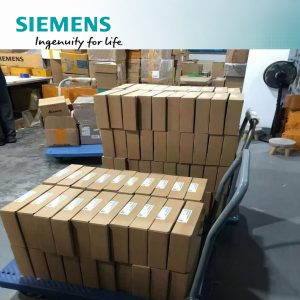

FAqS
Is this product brand new and original?
Yes, all products supplied are brand new and original, with reliable quality for industrial automation applications.
Is the product available in stock?
Stock availability may vary depending on the model and order quantity. Please contact us for the latest inventory status.However, our inventory levels have consistently remained above ten million yuan.
Do you support international shipping?
Yes, we support international shipping to most countries and regions worldwide.
Can you provide door-to-door delivery service?
Yes, door-to-door delivery service is available through international express logistics partners.